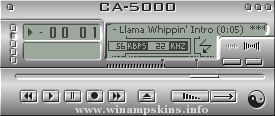
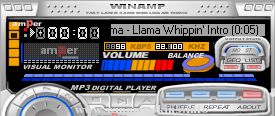
** S-AMP 1.0 **
This is my
first skin. I
know it's not
as good as
those other ones
out there, but
I think it was
worthwhile to
try to make a
skin of my own
instead of editing
someone elses
all the time.
There are two
ways to config-
ure this skin.
The first is to
set it on "hole"
mode. This
setup is the
default one
(as is when
downloaded.)
The second setup
which is the
"connect"mode,
requires you to
change some
lettering.
To get the
"connect" mode,
rename:
"main.bmp" -> "mainx.bmp"
"eqmain.bmp" -> "eqmainx.bmp"
"main2.bmp" -> "main.bmp"
"eqmain2.bmp" -> "eqmain.bmp"
Then change the
text file
"region.txt"
by adding
semi-colons ";"
to the beginning
of every line
until the last
line.
To see the
changes take effect,
you must place the
equalizer module
under the main
module. You will
see that the two
modules "link."
Enjoy.
-fYRE
(info-is@in-file)
-================-
Aquamp by RedDog
-================-
Skin for Winamp 2.6 and higher.
(c)2000 RedDog.
This skin is made to look like the MacOS X operating
system (Aqua). It includes a skin for ...
-=Transcendence V3.0A Created By Enygma=-
Do you want a Winamp skin made for your clan??
Contact for more info...
Read the INFO.TXT for more info on this skin
-=26/07/00=-
-=http://www.taclan.co.uk=-
-=MSN/Mail : info-is@in-file=-
-=ICQ ...
=== Gackt C. ~within the moment of emptiness~ ===
= = = Skin for Winamp, created by myrrh = = =
Finished Date : 0010.06 1400
Note : Some buttons are missing.
Gackt, ex-vocalist of Malice Mizer (Now solo artist).. The picture used in this skin sca ...
| README [readme.txt] |
----------------------------------------
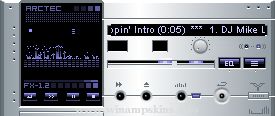
ARCTEC FX [Solid Silver]
----------------------------------------
-Note-
The Viscolor.txt file is created using Winamp Vis Toolkit by Andrew Mackowski
http://home.pacbell.net/macko ...
_________________________________________
Skin name - F-Amp: the Grey version
Skin version - 1.3
Release date - 15 April 2000
File name - Grey_1.3.zip
Creator - FJ van Oosterom
E-mail - info-is@in-file
Made in - Amsterdam, The Netherlands
...
Thank you for downloading CaesarAmp!
Please read me! You might learn something!
This skin is an attempt to capture the classic
beauty of Rome...and apply it to a functional
skin.
If you are wondering what the Latin words mean,
here they are. I d ...