This skin is based on an image of Cait Sith, by Nomura Tetsuya.
As a help, I have used the Skinner Atlas, Winamp region.txt generator and Vis Toolkit.
//TheSlof ...
2000/07/01
MASSamp 4.0 for Winamp 2.x
It' s my second skin and it contains the main window, the playlist, the equalizer, the minibrowser and AVS.
I used a little of Photoshop and Illustrator to make my skin but mostly Paint.
Please do not copy o ...
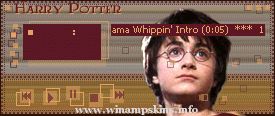
_ _ _ Harry Potter Skin - - - Missing 1.0 _ _ _
= = = Skin for Winamp, created by myrrh = = =
Finished Date : 0211.30 18.50
This is another one of WinAmp Skin made during my 'Chamber of Secrets' mania. Featuring 'The Boy Who Lives', Harry Potter. ...
Ari-Tec Redux 2.1 (April 2006)
by info-is@in-file
Thanks to Atomicross for allowing me to give Ari-Tec an overhaul. The original file can be found here: http://users.atw.hu/winamp/skinek/ari.zip
//////////// 2.0 \
With this ...