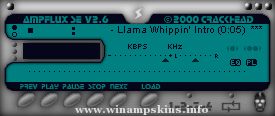
Template Amp
Version 1.1 by Mischa Klement
- Shows exact position of all sensible areas
- Uses gray scales only for easy semitransparent template layers
- Has a 10 x 10 pixel grid as background for easy positioning
- No 3D effects for easy borders finding
- The bmp files help you deal with bugs and borders of all areas
- additional bmp files to help you design and crop your skin
skeleton.bmp - use this as design layer
frames.bmp - use this to crop in your grafix program
crop.bmp - use this to crop in MS Paint when creating the skin's bmp files
Template Amp version history
v1.0 published 2001-07-12 at my own web site
skinned Main, EQ, PL, MB, (AVS taken from flattmatt)
skinned MikroAmp
skinned DFX
skinned inner MB area
v1.1 published 2003-05-02 at WinAmp.com
added WinAmp 2.9x features, please refer to genexinfo.txt
Greetings and thanks to:
lentia
Mr Jones
THEMike
Jayn
ampburner
bullGawD
cappy
chiquita chad
e-blackadder
flattmatt
garetjax
mrsbladez
nini
simon snowflake
skinme!
the only lynx
wildrose-wally
... and all the other gals'n'guys at Skin Love ;-)
(c) 2003 Mischa Klement aka cyana info-is@in-file
THE OMNIS L/B www.omnislab.com
enjoy !
cyana
mbboxster
Version
1.0
(c) 2001 Mischa Klement
created with Macromedia Fireworks 4.0
MikroAmp skinned
DFX skinned
enjoy
cyana
info-is@in-file
www.omnislab.com
Updates for WinAmp 2.9x
1) gen.bmp has a generic window frame for plugins to use.
its format is similar to the minibrowser's.
In addition gen.bmp includes a font for the titlebar, in both
highlight and no-highlight modes. The font is variable width,
and it uses the first color before the letter A as the delimiter.
The no-highlight form of letter must be the same width as the
highlight form.
2) genex.bmp has button and scrollbar images, as well as some individual
pixels that describe the colors for the dialog. The button and
scrollbar images should be self explanatory (note that the buttons
have 4 pixel sized edges that are not stretched, and the center is
stretched), and the scrollbars do something similar. Template Amp clearly
marks these areas, so there should be no problem.
The colors start at (48,0) and run every other pixel. Template Amp groups
these pixels for a better overview; also, the selected colors are intended
to be identified more easily, and not a real aesthetical experience.
The meaning of each pixel is:
x=48: item background (background to edits, listviews etc)
x=50: item foreground (text color of edit/listview, etc)
x=52: window background (used to set the bg color for the dialog)
x=54: button text color
x=56: window text color
x=58: color of dividers and sunken borders
x=60: selection color for listviews/playlists/etc
x=62: listview header background color
x=64: listview header text color
x=66: listview header frame top color
x=68: listview header frame middle color
x=70: listview header frame bottom color
x=72: listview header empty color
x=74: scrollbar foreground color
x=76: scrollbar background color
x=78: inverse scrollbar foreground color
x=80: inverse scrollbar background color
x=82: scrollbar dead area color
minibrowser
TRIGUN
By LuigiHann
-----------------
This skin was inspired by the anime Trigun. All of the graphics were done from scratch in Photoshop. I was trying ta make a skin that recognisably resembles and alludes to the anime, ...
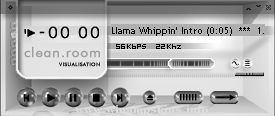
``clean.room''
by Peter Vokrot
info-is@in-file
FIRSTLY
Set Winamp > Options > Display > Playlist Font Size
to 9 for best results.
OVERVIEW
This is my first WinAmp skin. It originally began
as one ...
New Feedback II for 1999
by Rui Nunes (aka Bronze)
http://www.shoggot.com/bronze
info-is@in-file
this skin is best viewed in 16bit +
FEEDBACK 2.3
May99
Nullsoft keeps to bug our ass with this new skin stuff, but, here g ...
LG digital sound
Released 2nd oct 00
"Bandung Indonesia"
Hear your favorite MP3 with LG Digital Sound
and feel the amazing sound.
Skinmaster : Iswahyudi "idhuy" Hanafiah
e-mail : info-is@in-file ...
**THE MYSTERY OF LOVE**
by Nini
Don't ask me why I named it this way...
(But if you really want to know: maybe because I saw this Smashing Pumpkins video some time ago - I think it was 'stand inside your love' - very artistic)
The ...
Winamp
Classix 10K 2.0 Ergonomic KAI
(June-07-2003, April-28-2004)
Permission is granted by egalitarian.
This is a Winamp 5 skin based on the original Classix 10k Windows theme created by gigatexel, bant and saintdark. Thank you guys for creatin ...