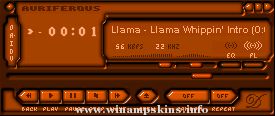
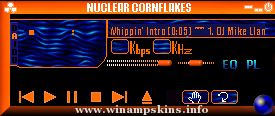
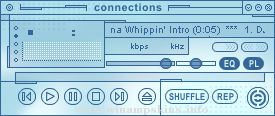
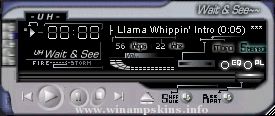
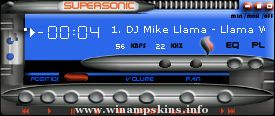
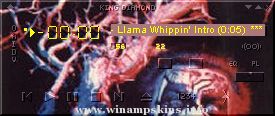
fmsc2.1 (Frank MILLER's Sin City 2.1)
february 01
by Mehdi THOMASSIN
info-is@in-file
First of all:
Please, don't ask me to make you skins, I barely have time to update mine!
Also, don't ask for porn/sex/hardcore pics or skins, I don't have such material (and, no thanks)!
How to hide the bars in the equalizer:
- keep in mind that wsz files can be managed by winzip. You can rename them to zip files.
- create a new directory or a new zip. This will be the skin with the bars hidden.
- copy all components BUT eqmain.bmp of my skin into the new one. To open my skin, keep in mind that you can open it with any ZIP manager (such as winzip).
- rename eqmain_nobars.bmp to eqmain.bmp
- That's it! The bars are now hidden, you still have the indicators for on, auto and presets.
main window's updates:
- say hello to a permanent red bar! All commands in it are modified.
- the progression bar. I didn't find it nice, so a few text, some dark and now it's fine. The text is the one that appears when winamp is stopped.
- balance: lots of people asked to have it visible, just to know if it's centered or not. Now it's visible, and a bar appreas when it is not centered.
- some borders change.
equalizer's updates:
- eq bars: reduced to the max. Smart, isn't it? I find it easier to read this way.
- windowshade mode.
- some borders change.
playlist's updates:
- commands visuals.
- some borders change.
- Hello Ed!
That's all for the moment!
"bloo plastik"
Began: October 6, 2002
Completed: October 6, 2002
I started designing this skin a couple of weeks ago. I decided to start it today (began date), and I finished it today as well.. It was an easy skin to make.. I am very proud of w ...
_________________________
Flying Buttons
_________________________
Created by Jaroslav Voves
v 1.0 - release Juni 2002
I hope it's true 3D
(on black desktop)?
Send your comments to
info-is@in-file
Ceska Lipa, Czech Republic, Europe
...
QuickAmp
By John Kreitlow
In Association with RADIUM-V Interactive
Version 1
OK, so I know people have done skins for iTunes, but the Quicktime 7 window looks appealing to me for some reason. This would be either the third or fourth skin I've relea ...
Xtreme Gambit >> >> >> > Ver 1.0
Completed:
2 Jul 2003
Dammam , Saudi Arabia
My Fourth Skin!
Of One Of My Fav XMen
Nice Playlist-Equalizer join (accordin ta me)
Later Joined To The Browser
I Didnt Know What To Do With The PosBar - Comments Plz ...
BATHTILE BLEU WINAMP 2.x SKIN
==============================
1. About BathTile Bleu:
A fully-tilable ceramic skin with lots of little friends. The original BathTile became involved in a collaboration project called Jeri Ryan in the Pink. I had suc ...