-=======================-
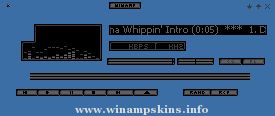
Napster Amp v1.4 by Loveless
-=======================-
Skin for WinAmp 2.20 (and higher)
for Windows 95/98/ME/NT4/2K
E-mail: info-is@in-file
Visit: www.geocities.com/chloe_dancer.geo/
August 5, 2000: Brendan Rice, Loveless Net Design
Special thanks to Claire & Claire.
All logos are copyright of Napster Inc. (c)1999, 2000
DESIGN
-------------
This skin was based on erm....Napster.
COLOUR
---------------
I created this using Paint Shop Pro 5 and 'Skinner'. Images are in 16-bit colour. Napster Amp designed for 16 bit color depth or more.
Skinner is a great program to quickly make a basic WinAmp skin. Designer Kjell Braaten (info-is@in-file)
Please email me and tell me if you liked Napster Amp
E-mail: info-is@in-file
EASY INSTALLATION
-------------------------
Copy the "napstamp.zip" file into the WinAmp Skins directory. This is usually located at:
C:Program FilesWinAmpSkins.
Then start WinAmp and press ALT+S to bring up the Skins browser. Click on "Napster Amp" in the browser and you should see WinAmp changing appearance.
Alternatively, click on "Preferences" and click "Select Skin..". Then click on "Napster Amp" in the browser window.
REVISION HISTORY
-----------------------
V1.40, August 5, 2000
Finished the buttons for the Playlist.
Added the 'kbps' and 'khz' to main.bmp.
Made a new monoster.bmp with the napster logo.
Made a new text.bmp and changed the colours to match the text.
Added the numeric values to the EQ. Adjusted the On/Auto buttons.
Corrected some animation problems with the Min/Max/Close buttons.
Corrected some of the shading on the Min/Max/Close buttons.
V1.00, July 23, 2000
I think its finished now. Got the eq_ex and avs pics done.
V0.80, June 23, 2000
Got a few more bits and pieces finished, like the EQ Graph.
V0.50, June 11, 2000
Designed most aspects of the skin. Tried to put the final touches to the skin. More work needs to be done, though.
"bloo plastik"
Began: October 6, 2002
Completed: October 6, 2002
I started designing this skin a couple of weeks ago. I decided to start it today (began date), and I finished it today as well.. It was an easy skin to make.. I am very proud of w ...
"bloo plastik"
Began: October 6, 2002
Completed: October 6, 2002
I started designing this skin a couple of weeks ago. I decided to start it today (began date), and I finished it today as well.. It was an easy skin to make.. I am very proud of w ...
Jackall WinAmp Skin by Jesse Tan
--------------------------------
Hi there..thanks for download my winamp 2.x skin.This is
the first time i doing it so it not so good,but i hope
you like it.If you don't like it,just don't use it right?
Althought ...
SteamAmp v2.0.
I made this cause I like the way the program STEAM looks.
I thought it might be fun to have it as a Winamp skin. Voila.
**UPDATES**
-Fixed Playlist exploit
-Fixed button exploits
-Fixed Video window where the fileinfo ran off ...