````````````````````````` Titanium-Canary 1.0 `````````````````````````
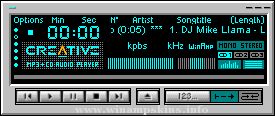
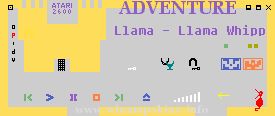
This skin has a canary yellow display, with a titanium
and silver backdrop. This skin was inspired by the
"Titanium Y" skin, which is one of my favourite
skins(Good work Fyre).
Many great skins that are out there, surprisingly some
have no or poorly designed MikroAmp skins, so this
skin has 2 that you can choose from!
```````````````````````````` Skin Contents `````````````````````````````
* Main Control Amp
* Equilizer
* Playlist
* Minibrowser
* Advanced Visual Studio (AVS)
* MikroAmp skin
* Cursors
```````````````````````````` Skin Features `````````````````````````````
This skin can be customized to suit our own taste.
These are substitute Bitmaps included:
* MikroAmp skin
* Control Buttons
How to use the substitute Bitmaps:
1. Open Winzip, and select the .ZIP or .WSZ file
and extract the skin.
2. Go to that folder in which the skin is contained
and rename the ***1.bmp to ***.bmp and vice
versa.
3. Open Winamp and select the EXTRACTED
version in the skin browser.
````````````````````````````` Skin Info ````````````````````````````````
1. This skin was designed using MS Paint & Adobe
Photoshop 5.
2. No skinning tools were used in designing this
skin!
3. This took 4 days to complete (skins should not be
designed all in one go, the longer you take the
more brainstorming can go into the look of the
skin).
4. This skin archieve is about 50 KB, and
contains 50 files.
Skin no.13
`````````````````````````````` Contact Me ``````````````````````````````
Download my skins from:
www.1001winampskins.com
www.winamp.com
E-mail author:
info-is@in-file
info-is@in-file
````````````````````````````` Wobbles 2002 `````````````````````````````
Skin name: Chilled2
Release Version: 1.0
Description: This is actually my first skin. Colours are very bright... I hope it doesn´t make your eyes hurt!
Category: Cool skins
Skin by: Jouko Valtola
E-Mail: info-is@in-file ...
________________________________________________________________________
GREEN DAY SKIN for WinAMP v0.1
________________________________________________________________________
>INTRODUCTION
This is the 0.1 version ...
minibrowser
Skinner's Atlas 1.2.1
by Jellby
(June 2002)
August 2002
:::::::::::::::::::::
NOTE: This file seems to be too big to read it in the winamp skin browser (ALT+S), if you want to read it I suggest to ext ...
creator: supex (and alittle bit matix)
date 2-06-01
finally my masterwork has completed. the silver suptix amp is finised
after 5 hours work its done.. a pretty good skin i must say. i hope he gets in the winamp eyecandy
that would be really cool
thi ...
PurpleRyan20
version 2.0
February 2001
by Mehdi Thomassin
info-is@in-file
First of all:
Please, don't ask me to make you skins, I barely have time to update mine!
Also, don't ask for porn/sex/hardcore pics or skins, I don't have such material (an ...
info-is@in-file http://saotome.ranma.com.ar/
Hialloz, in case you didn´t notice, the "things"
that work as the equalizer´s buttons are tiny steaming versions of those
big deformed kettles that are so often seen in Ranma 1/2. If you press on
them, wh ...
Children Of Bodom [SINGLES] Series 3: Hate Me!
by Mario Portuguez
ESPAÑOL & ENGLISH
*-------Español-------*
¿Ya completaste la Serie de Children Of Bodom?
Si la respuesta es no entonces ve a
balder.prohosting.com/mpbodom
y busca los ot ...