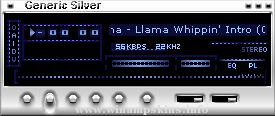
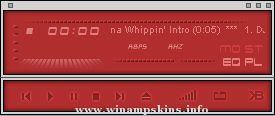
Goku Amp
v1.0
by Larry Tennison
Well, onward with the DragonBall Z skins I present to you
Goku Amp. This is the 3rd of the dbz skins I have made,
and there are still more to come. To date, I have a Trunks
skin, Vegeta skin, and now a Goku skin. Still to come are
Piccolo, and Krillin skins. After those, I thought
about maybe some androids, Freiza, Goten, Vegetto/Gogeta,
or Gotenks skins. Not really sure yet. By the time you
read this message, I should be nearing the completion of
my Gohan amp. I just got CorelDRAW 10 and have been using
it on the Gohan skin. It is looking sooo sweeeet. I can't
wait for you all to see it. It will most likely be out
within a week or two from the point that this one is released
...or at least by Christmas, whichever comes first.
If you are running a winamp skins or Drag(*)nBall Z site and
would like for this or any of my other skins to be featured
on it, you have my full permission as long as credit is
given where credit is due.
As usual, the vis. was designed for thick/normal bands. If
you use something else (ex. fire/thin) this is why the vis.
may look a little funny.
untill next time, if you have any questions, feedback, or skin
suggestions, my e-mail is listed below:
info-is@in-file
33866099(ICQ#)
"Optimism isn't some stupid glass half full/glass half empty debate. It needs to go deeper than that. It's an acceptance of the knowledge that no matter what happens, we as humans can deal with it, and even more, can learn from it.
If then "
...
Project V.1.5
-+-+-+-+-+-+-+-+-+-+-+-+-+-+-+
Created by: The Safety Lemur
-+-+-+-+-+-+-+-+-+-+-+-+-+-+-+
Contact Info:
Larry D. Lemur:
*Email:
info-is@in-file
-+-+-+-+-+-+-+-+-+-+-+-+-+-+-+
,-.__,-.
/)"(/
...
Science v 1.0 for winamp 2xx
-----------------
I had this skin on the works for some time but I kind of finished it in a rush .
I hope it is bug free.
Long live non-freeform skins! heh .
Thanks will go to:
-------------------
Hideo/Pau ...
=== === === === === === === === === ===
LCARSAmp ver 5.2
=== === === === === === === === === ===
Finished on: 1999.02.02
Days to finish: 1 day on color updates
Created by: Joshua Clark
Created with: Adobe Photoshop
E-mail: in ...
Hi,
If you are reading this, then I guess that there is a good chance that you are about to 'borrow' some of my images for your own skin.
Well don't do it! If you are going to make a skin of your own, then you should do just that rather than steal b ...