||
||
_____// MM
~~~~~~
WinAMP Skin
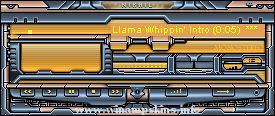
1. INSTALL Just move this ZIP file into
the SKIN subdirectory of WINAMP's installed folder.
2. Run WinAmp and press ALT, S
3. Select 3mm from the list
IF YOU DON"T WANT THE TRANSPARENCY RENAME REGION.TXT
Version: 1.00 (only version)
Author: Captain Slug
E-mail: info-is@in-file
URL: http://simflight.com/cs/
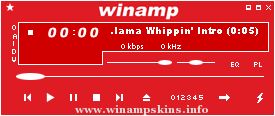
METAMORPHOSIS V 1
for
WINAMP 2.9x
By
NIKHIL SHARMA
Bugs : info-is@in-file
Hugs : info-is@in-file
_____________________________
http://nikhilsharma.deviantart.com
_____________________________
PLEASE DO NOT DISTRIBUT ...
"bloo plastik"
Began: October 6, 2002
Completed: October 6, 2002
I started designing this skin a couple of weeks ago. I decided to start it today (began date), and I finished it today as well.. It was an easy skin to make.. I am very proud of w ...
MEATLOVE Edition Susanna
2003 by chrismale - time2wonder.com
___
v2.0:
Finally, I convinced myself to skin also the new component windows of winamp2.9
ENJOY AGAIN.
v1.2:
Damn. So I told myself, that zwurbelwurbel is simply PART ...
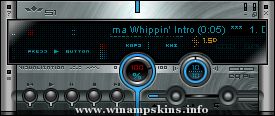
60 n' Tech
for Winamp 2x
Created By : Project Micah
Contact : info-is@in-file
Date : January 10th, 2001
This is my second skin.
I had fun putting this one together as a sort of 3d slim on Technical steel.
What else can I say? Enjoy!
...
Hello!
Thank you for downloading the skin which I made.
Since it created for the first time, it may not have completed not much finely (^-^; I'm sorry.
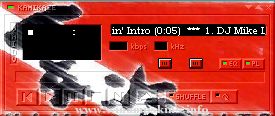
This picture is Gaara of "NARTO"
This is the picture which I drew.
In addition to this ...
Air
I was breathing it
it's staring yet
fixed and frozen
I dare
to go off the air
right there
Mare
I was believing it
unessential yet
forgotten
there
I'll pull my luck out of
thin air
wherever I go
Supernova
let me know
Wherever I go
...