/***************************************************************************
//***************************************************************************
//** **
//** BikitAMP 1.3 **
//** ------------ **
//** **
//** Copyleft (C)1999 Steve Currie **
//** **
//***************************************************************************
//***************************************************************************
////////////////////////////////////////////////////////////////////////////
Overview
--------
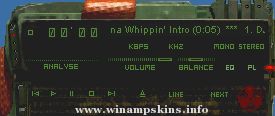
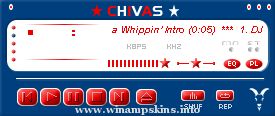
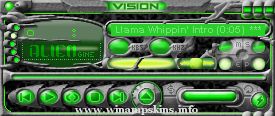
BikitAMP is a skin for Winamp 2.21+. It contains full main, playlist,
equalizer and minibrowser skins.
By the way, BCIT is an institute of technnology in Vancouver,
British Columbia, Canada.
Installation
------------
1. Move BikitAMP.zip into your WinampSkins directory
2. Run Winamp
3. Hit Alt-S
4. Select BikitAMP
If you have an older version of Winamp you may have to unzip the file into
its own directory inside WinampSkins. If you are an up-to-date person (who
isn't?) this doesn't apply to you.
I suggest using "Vertical Lines" for the spectrum analyzer since they look
the coolest :-)
Contact
-------
Got any suggestions? Comments? Problems? Solutions? Ideas? Time? You can
contact me by e-mail at "info-is@in-file" and send them my way since I'm
fresh out of all of the above.
My page at http://www.geocities.com/CollegePark/Housing/3501/ contains the
latest version. Don't worry, just cus it's Geocities doesn't mean there are
always pop-ups to deal with ;-)
Thanks
------
Thanks to the guys at Nullsoft (especially Justin Frankel) for creating such
a fine product!
Also thanks to all who bothered downloading my small creation.
Version History
---------------
1.3
- Finally got around to skinning the minibrowser.
1.2
- Updated for Winamp 2.21 by adding the equalizer windowshade mode.
1.1
- Okay, so I lied about the "drastic change". I made the the dimmed 'X'
on the main window even dimmer. It was too bright and didn't match the
other buttons.
- Oh yeah, I copylefted it this time.
1.0
- First release. There may be future releases but don't count on it unless
something drastic is changed.
GNU General Public License legal stuff
--------------------------------------
This program is free software; you can redistribute it and/or
modify it under the terms of the GNU General Public License
as published by the Free Software Foundation; either version 2
of the License, or (at your option) any later version.
This program is distributed in the hope that it will be useful,
but WITHOUT ANY WARRANTY; without even the implied warranty of
MERCHANTABILITY or FITNESS FOR A PARTICULAR PURPOSE. See the
GNU General Public License for more details.
You can contact the FSF at:
Free Software Foundation, Inc.
59 Temple Place - Suite 330
Boston, MA 02111-1307
USA
"bloo plastik"
Began: October 6, 2002
Completed: October 6, 2002
I started designing this skin a couple of weeks ago. I decided to start it today (began date), and I finished it today as well.. It was an easy skin to make.. I am very proud of w ...
Blood Thirsty
------------------------------------------------------------------------------------------
Blood Thirsty is one of the skin's that I know you just could not pass up (thats why you downloaded it right?)! So u like or not like? Don't miss ...
SKIN FROM WINAMP NFLSKINS
This skin was made to all who want's it.
I want to improve my skins so please send me a comment about it.
I'll be making 3 versions of everyone of my skins :
Version 1.X
Only the main window is skinned
Version 2.X
...
Author: Mark Wiseman
URL: http://www.geocities.com/mawiseman2001
-------------------------------------------
Skin: TrinatroN 2
Version: 1.0
Skinned: Everything except cursors
This is my third winamp skin and i really just wanted a plain simple ski ...
:: Author: Joe W. Garrett ::
:: Skin: Falcon ::
:: Date: 13-July-01 ::
---------------------------------
Special Thanks and Recoginition
---------------------------------
Winamp Skin Love Forum
Notes:
Skin Done in 6 Hours
All parts Skinne ...