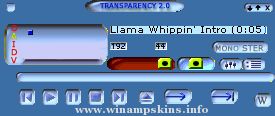
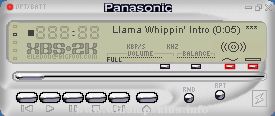
//USE THIS FILE ONLY TO REFERENCE THE PLEDIT COLORS
//
//
[Text]
Normal=#00FF00 //Color of the regular text (Playlist).
Current=#FFFFFF //Color of the current track text (Playlist).
NormalBG=#000000 //Background for normal text (Playlist).
SelectedBG=#0000FF //Background for the selected text (Playlist)
MbFG=#00FF00 //Text color in thestatus bar. (video / MiniBrowser)
MbBG=#000000 //Text background in the status bar. (video / MiniBrowser)
Font=Arial //Font face that's used in both windows
Coppied from winamp/wa_dlg.h from the Winamp 2.9 ML SDK.
1) gen.bmp has a generic window frame for plugins to use.
its format is similar to the minibrowser's.
In addition gen.bmp includes a font for the titlebar, in both
highlight and no-highlight modes. The font is variable width,
and it uses the first color before the letter A as the delimiter.
The no-highlight form of letter must be the same width as the
highlight form.
2) genex.bmp has button and scrollbar images, as well as some individual
pixels that describe the colors for the dialog. The button and
scrollbar images should be self explanatory (note that the buttons
have 4 pixel sized edges that are not stretched, and the center is
stretched), and the scrollbars do something similar.
The colors start at (48,0) and run every other pixel. The meaning
of each pixel is:
x=48: item background (background to edits, listviews etc)
x=50: item foreground (text color of edit/listview, etc)
x=52: window background (used to set the bg color for the dialog)
x=54: button text color
x=56: window text color
x=58: color of dividers and sunken borders
x=60: selection color for listviews/playlists/etc
x=62: listview header background color
x=64: listview header text color
x=66: listview header frame top color
x=68: listview header frame middle color
x=70: listview header frame bottom color
x=72: listview header empty color
x=74: scrollbar foreground color
x=76: scrollbar background color
x=78: inverse scrollbar foreground color
x=80: inverse scrollbar background color
x=82: scrollbar dead area color
"Black&White"(Milky2) skin
To use this skin correctly copy the "akbar" font from the "Black&White.zip" into your "C:WINDOWSFONTS"' directory...
Advice:
It's better to use your Winamp with "WOW Thing" DSP Plugin from SRS Labs.
Made by ILYA ALEK ...
minibrowser
I made this skin in one day.
*sigh* The characters and stuff belong to Homestarrunner.com, and I don't have anything to do with them. But I think you should check out the site if you haven't.
-LuigiHann (info-is@in-f ...
Hi,
If you are reading this, then I guess that there is a good chance that you are about to 'borrow' some of my images for your own skin.
Well don't do it! If you are going to make a skin of your own, then you should do just that rather than steal b ...
"bloo plastik"
Began: October 6, 2002
Completed: October 6, 2002
I started designing this skin a couple of weeks ago. I decided to start it today (began date), and I finished it today as well.. It was an easy skin to make.. I am very proud of w ...
Panasonic XBS2000
Version B
After a long lay off, I returned to revamp one of my favourite skins to give it a more up to date feel. This gave rise to XBS2000 version A. I have now added the skin for the AVS window.
Bill
History
Panasonic ...