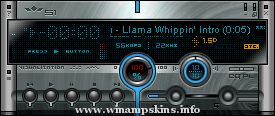
*** Motorola Timeport Skin (version 1.4) ***
Author: Cezary Belka
E-mail: info-is@in-file
Website: www.carus.prv.pl
* Useage *
Make sure you have winamp 1.8 or later for a start. If your not sure, go to nullsofts site:
http://www.winamp.com
and get it.
Unzip the zip file to your skins directory, making sure that you have "use folder names" checked on your winzip (or whatever unzipper you use).
This should create a directory within your skins directory called "MotAmp", with my skin files in there.
Your directory structure should look like this:
Winamp
|-Skins
| |-MotAmp
|-Plugins
Then, load up winamp. hold down the left "alt" key and press "s" at the same time. This will bring up the skins menu, where you can select MotAmp form the menu.
Click ok, and the GUI should have changed.
Do with it what you may, I'll enjoy it
anyhow.
-*- Dedicated to Ania S. -*-
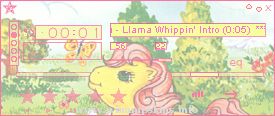
My Little Pony
Made as a request from Lainey. More pink used in this skin than I think I've ever used before...it's just so...um...HAPPY. *cringe*
Cynthia - info-is@in-file
http://www.discarnate.com/dreaming/ ...
.:AltairPresents,January2004:.
------
"AltairAwake[al19full]" ByAltair
------
When chaos conquers everything,
there is only one chance
to reach happy future;
awakening of order,
"AltairAwake"..
------
[as promised]
complete skin with all windo ...
AMP INSIDER - my first skin release in the wild.
Tom Plantan
lonestar[remove]@telerama[remove].com
Sorry, I am in make-believe land with some comments. I am
just having fun, I am not truly insane.
What does the inside of a winamp ver ...
IONU.wsz - w/Vidamp & cursors
by L.Larsson 09/26/04
********************************
ALL New for WinAMP 5!
IONU Skin by 337...
works best with WinAmp 5
All windows are skinned.
New Equalizer Graphics
Cool Device! w/Updated analyzer.
************* ...
--------------------------
SAAB 95 Skin V1.1 11/11/1999
--------------------------
This is my first attempt a Winamp skin and was created
because I was bored and it seemed like something to do.
I used Paintshop Pro 5 for most of the work but used ...
H O R I Z I T E
Created By Raj.I/O in 2000
released in multiple colour editions:
blue
green
honey
red
steel
This skin is a complete 2.x skin and is fully featured including all windowshades, minibrowser, WVS [AVS] window, etc.
Raj.I/O can ...
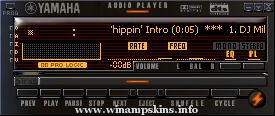
------------------ YAMAHA SUITE VERSION 1.2 ------------------
Hi Here is the latest version of my Yamaha Skin ..I have just added the mikroamp skin this time.. I haven't modified anything else on the skin mainly because I made it for myself and I like ...