wersja 1.01 ************************
* BLACK CAT corp. *
* Skins for Winamp *
* by Ma³anka Krzysztof *
************************
"Black Cat"
Historia Wersji:
1.01
Doda³em skalê w EQ. Pojawi³y siê wiêc napisy +20 i -20.
1.0
Oto kolejny z moich skinów. Tym razem skin zaliczany do dzia³u skinów dominuj¹cych kolorem. Skin Black Cat jest prawie ca³y niebieski i oto
w tym wszystkim chodzi. NieŸle siê nad nim napracowa³em.
UWAGA!!! W ka¿dej nowej wersji skina bêd¹ wprowadzane poprawki.
Info:
WERSJA: 1.01 dla Winamp 2.x
ROK PRODUKCJI: 2002
LICENCJA: Freeware (zezwala siê na kopiowanie i rozpowszechnianie)
UWAGI: Proszê nie zmieniaæ budowy i stylu skina.
KONTAKT E-MAIL: info-is@in-file
POMOC: Skin mo¿e nie dzia³aæ w starych wersjach Winampa ze wzglêdu
na rozszerzenie. Je¿eli chcesz zainstalowaæ now¹ wersjê
programu Winamp zajrzyj na stronê www.winamp.com
Copyright by Ma³anka Krzysztof
Tundra Winamp Skin Revolution
=-=-=-=-=-=-=-=-=-=-=-=-=-=-=
by Paulo Antunes
=-=-=-=-=-=-=-=-=-=-=-=-=-=-=
9th/10th February, 2005
=-=-=-=-=-=-=-=-=-=-=-=-=-=-=
Made in Brazil
=-=-=-=-=-=-=-=-=-=-=-=-=-=-=
Enjoy Experience! =D
=-=-=-=-=-=-=-=-=-= ...
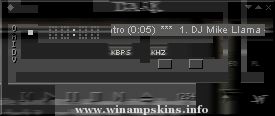
~~~~~~ DUSK~~~~~~
I know what you're thinkin'...."ewww.....another
metallic skin" ....hehe....I happen to like shiny things.
Thanks to everyone in the Winamp.com Share Your
Skin Love forum for all your support....*group hug* ...
* * * R E A D M E * * *
_________________________ ____ __ _
B L U E W E S T v 2.01
---------
* about the skin and the tools.
* other skins.
* why I´ve made a minibrowser html.
and how to use it.
- ...
>=>GSA Terminator 3 Rise Of the Machines Skin Kazakhstan
For:Winamp2 -2.9
::::::::::::::::::::::::::::::::::::::::::::::
GSA Graphics Team:
Designed by: Saken Joldasov
..............................................
It's not just rise of the Machine ...
Octovo - created by Jim Boynton
(c)copyright 2002, James L. Boynton
Free to be used with Winamp
This skin was created to look like the new
Winamp 3 skins. I like both Winamp 2 and 3, but
my computer has issues with XP so I use Winamp 2.
This ...
The name of this skin is Jack and Thor. It is a Stargate SG1 skin. The version number of this skin is 1.0.
The category that best describes this skin is television/science fiction.
The skin shows Colonel Jack O'Neill head of SG1 and earths new ally Th ...