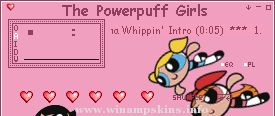
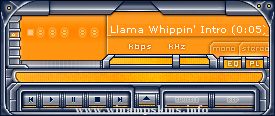
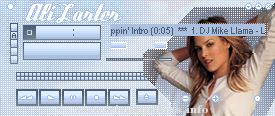
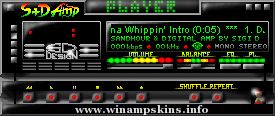
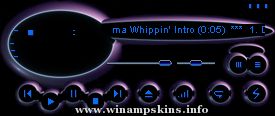
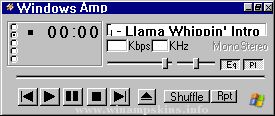
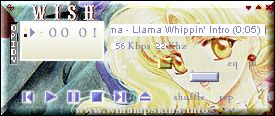
This skin is based on Iceamp by Chillibop, which only included the main window. I've tried to track him/her/it down, but failed dismally, so I'm passing this on anyway. I've added skins for all three other windows - equalizer, playlist, and mini browser.
Any questions, comments, praises or flames to me at info-is@in-file ... I hope you like it!
~Rillaith
--
info-is@in-file * http://www.harem.org/~rillaith/
Installation (for those who aren't sure)
----------------------------------------
Save this entire Zip file to your Winamp Skins directory (usually Program Files/Winamp/Skins/).
If you use winamp 2.x, that's all you need to do, otherwise you need to unzip the files - they will unzip to a directory called "Icicles" unless you tell your zip prgram not to use folder names. The files need to be in this directory.
Start winamp, and hit Alt-S to open the Skin Browser, and select "Icicles".
Updates
-------
The latest version of this skin, should I update it again, will be available from my website at http://www.harem.org/~rillaith/icicles.html
* Version 2.0
- Addition of skins for Equalizer, MiniBrowser, and Playlist.
- Reworking of original components to blend in with the new parts.
- Fixing of bugs with in button alignments.
* Version 1.0
- Chilibop's original skin for main window only.
HAVE - BLUE
BY
LEE HARDMAN.
15th to 24th May 2000.
It's called Have Blue and there is no blue to be seen.
I could tell you why but I won't.
You may already know what Have Blue means.
If you don't, Hmmmmmmm, ...
This Skin was partial generated using SkinAmp. Skinamp is freeware, you can download it on my homepage!
http://members.tripod.de/DrAlgebra/english
My email: info-is@in-file
P.S.: I'm NOT the author of this skin!!!
Thank you for reading,
D ...
McLaren F1 AMP
--------------
Created by Dawg4Life2K1 (aka Alex Luu)
"McLaren F1 AMP" is property of Alex Luu and may not be ripped, reproduced, or republlished in any
way or form without my discretion. If found, the rip will be taken down immedi ...
*** BlackAmp Red ***
Welcome to BlackAmp! I wanted to create a clean and neat Winamp-skin. This is the result.
As some people didn't like the original colors of my skin I created this version with red displays.
>>>Black is Beautiful ...
J-M-E Systems: riveted V1.1
Skin for Winamp 2.x
(c)2003 Jonnyo (AKA: Jon Jopling)
Date 04 of oct 2003
-----------------------------------------------------------------
in the Update
----------------------------------------------------------------- ...
***********************************************************************
Û³ ³Û
Û³ This skin was made for you by Zewen in the year of the lord 1999 ³Û
Û³ ...