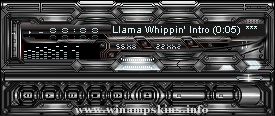
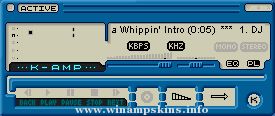
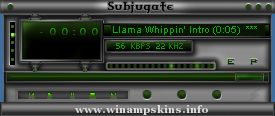
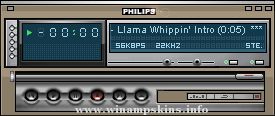
How to use this skin:
If you have a Winamp 2.04 or more:
put this zipfile into the /skins folder
under the /winamp one, then press ALT+S
with WinAmp Running and choose the skin from the list
that will pop up.
If you have a previous version:
Unzip all the zipfile into a folder under /skins one.
i.e.: /winamp/skins/Edu22amp
Every skin needs to be unzipped in a different folder.
Como usar este skin:
Se você possui a versão do Winamp 2.04 ou mais recente:
Coloque este arquivo zipado na pasta /skins que está dentro
da pasta /winamp, então tecle ALT+S com o Winamp funcionando
e selecione o skin da lista que irá aparecer.
Se você possui uma versão anterior:
Descompacte todos os arquivoe em uma pasta que esteja dentro da pasta
skins.
ex: /winamp/skins/EDU22AMP
Cada skin deve ser descompactado dentro de uma pasta diferente.
Author:
Eduardo Pereira
info-is@in-file
Joinville-SC Brazil
irc.braznet.com.br
#joinville
Eduardo22
D I R T Y S I M U L A T E D W O O D T Y P E
I S B R O G H T TO Y O U B Y :
M A C P H I L I P T H E N I L S S O N
-----------------------------------------------------------------------------------
ver. 1.001
Some minor gr ...
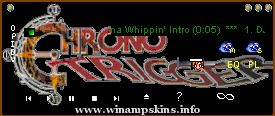
This skin, SquareAmpv1.1, made by The Emerald Dragon. It is a WinAmp skin based on Chrono Trigger and Secret of Mana, and is a 'game' category skin.
I took advantage of the different bitmaps for active/inactive windows, so watch for details...for i ...
MATRIX skin by Nini 1.1.
Well the controls might be hard to find, but let me tell you, they are all there. So just look closer...BTW an experienced WA user should know where to find the play button ;-)
Only the real true (evil) matrix on this skin. ...
=== Alyson Hanngan Amp - skin for Winamp ===
-------------- by Zeke -------------
v1.1, Feb. 14, 2000
This WinAmp skin created by Zeke
Any questions or comments? Like this skin? E-mail me: info-is@in-file
You might want ...
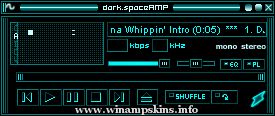
-------DarkSpace-------
by InfinityX
10/09/03
This skin is based on the Litestep theme of the same
name created by fractal.design
The theme itself is available from Litestep.net
(registrati ...
~-~-~-~
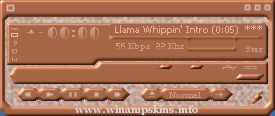
Bronzed
~-~-~-~
The skin by Omnitarian v1.0
This is the skin made by me. It's bronzy or something.
Done in Paint shop pro, mainly with Inner Bevel Effect. Hazy Backround effect made by flood filling an area with 2 colors on Canvas t ...