info-is@in-file http://saotome.ranma.com.ar/
Hialloz, in case you didn´t notice, the "things"
that work as the equalizer´s buttons are tiny steaming versions of those
big deformed kettles that are so often seen in Ranma 1/2. If you press on
them, what you´ll see are supossed to be buckets of water.
I stole the idea of those buttons from Tim Maynard's Ranma 1/2 skin.
I made them myself and that explains why they´re
so hard to understand.
Since I made this skin I would like this .txt to be transferred with it so
I can at least get credit for making this thing that took more time than what it
deserved, now that I think about it.. Be nice and don´t erase this if you put this
skin in your webpage or something.
Tnx
July 2000
Carolina Becerra
----------
January 1st, 2001
This skin was updated. Playlist buttons, browser buttons and other stuff.
Object: Visual Interface for Winamp 2.9 (skin)
Data of creation: June 24, 2003
Tools: Jasc Paint Shop Pro 8.0
Author: Ibraim Soltonbaev
Contacts:
- e-mail: info-is@in-file
- url: www.geocities.com/ibrweb
"What is cyberdimension? It is a place whe ...
Thanks for downloading this Adidas skin, modified from AdidasAmp by me,
Kyryll - info-is@in-file
Thanks to $teven - wilee.@ix.netcom.com - for creating the first black & white AdidasAmp.
This is a modified and better looking version with it's own cu ...
.:AltairPresents,February2004:.
------
"AltairXymetry[al478full]" ByAltair
------
Happy future is impossible
without a equality between
good and bad,
all the opposites must be
symetric;
symetry of life,
"AltairXymetry"...
------
complete skin ...
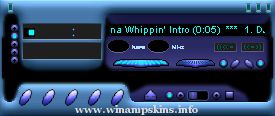
BlueShark_v1.0
==============
Author: Jean-Paul Larrivee
Created: July 21/2003
E-Mail: info-is@in-file
Homepage: http://www31.brinkster.com/stargazer3
Description: This is an attempt to make a 3D looking skin.Hope youi like it.
If you have ...
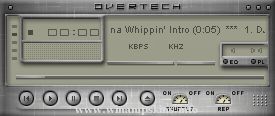
ReadMe!.txt for the Overtech skin for WinAmp*
--------------------------------------------
Another skin finished... I keep spittin' them out.
The skin is kind of a combination between 2 skins (X-Tech and Overtuned), with a little new stuff.
But that ...
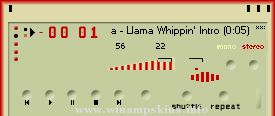
"bloo plastik"
Began: October 6, 2002
Completed: October 6, 2002
I started designing this skin a couple of weeks ago. I decided to start it today (began date), and I finished it today as well.. It was an easy skin to make.. I am very proud of w ...
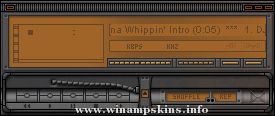
STATIK
Just another metal/LCD skin.
created by: foomonkey
created with: Paint Shop Pro 7
special thanks to: all the nice people at Skin Love
have a nice day ...