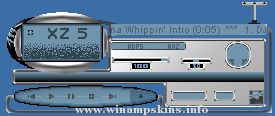
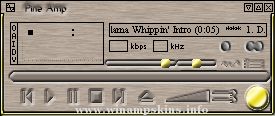
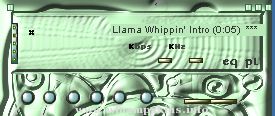
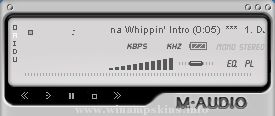
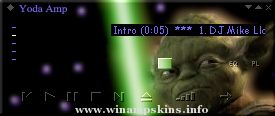
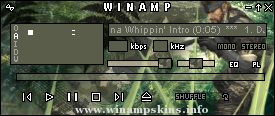
+-----------------------+
| GrundigAmp v1.0 |
| Tovok7 04/13/00 |
| http://Tovok7.de |
| info-is@in-file |
+-----------------------+
Thank U 4 downloading GrundigAmp 1.0!
Installation:
-------------
I hope U know how to install this skin. Not? It's a pity
Ok here is it: Copy this zip file in the skins directory in your winamp folder (f.e. C:Program FilesWinampSkins)
Then press Alt-S in WinAmp 2 select GrundigAmp in Ur Skin Browser. That's it!
Skined:
-----------
-> MainWindow
-> Equalizer
-> PlayList
-> MiniBrowser
-> AVS
It would be very nice then U sent me some comments about this skin (it's my first one), some things 2 improve or something else.
Please visit my homepage at http://www.Tovok7.de
And I hope that U NOT gonna steel components of GrundigAmp, cause I worked very hard 2 make a 100% self made skin.
Mmm...K I think thats all
CU
Copyright 2000 Tovok7
Aguileramp: "Old School" Version 1.9
Created By L. Bacud
March 26th 2003 Update: April 15th 2003
----------------------------
A Christina Aguilera Winamp 2.9 skin showing Christina's vintage feel, with her modern edge. Tommy Hilfiger said that Christi ...
Newcastle Winamp skin
created by
Bhaskaran Revi
info-is@in-file
Hey there! Thank You for downloading this skin that I have so painstakingly
created.This is my second skin after 98 Degrees Amp w ...
Author name (or alias): Novi Productions
Author email address: info-is@in-file
Description: Inspired by the 1982 Disney movie TRON. V2.0: Significant modifications to all
sections. Added MB, WVS, and cursors. If you like this, I also have a TRON theme ...
Realplayer Plus 7: Winamp
By James Ness
--------------------------------------------------------------------
Hey! This is Nessy with my fifth commercially done skin!!
I hope you like it, I think it looks ace! Hope I don't into any shit about the copyr ...
"bloo plastik"
Began: October 6, 2002
Completed: October 6, 2002
I started designing this skin a couple of weeks ago. I decided to start it today (began date), and I finished it today as well.. It was an easy skin to make.. I am very proud of w ...