-=======================-
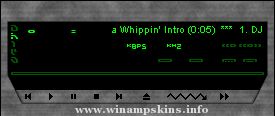
GellarAmp v1.9 by Loveless
-=======================-
Skin for WinAmp 2.20 (and higher)
for Windows 95/98 and Windows NT
E-mail: info-is@in-file
Visit: http://www.tou.com/host/loveless
or: http://www.geocities.com/SunsetStrip/Palms/7690
Source: http://www.geocities.com/SunsetStrip/Palms/7690/gellaramp.zip
July 27, 1999
(c)1999 Brendan Rice (Loveless), Loveless Net Design
Special thanks to Claire & Claire.
DESIGN
---------
This skin was based on a picture of Sarah Michelle Gellar that I found on a web page.
COLOUR
----------
I created this using Paint Shop Pro 5 and 'Skinner'. Images are in 16-bit colour.
GellarAmp designed for 16 bit color depth or more.
Skinner is a great program to quickly make a basic WinAmp skin. Designer
Kjell Braaten (info-is@in-file)
Please email me and tell me if you liked GellarAmp
E-mail: info-is@in-file
EASY INSTALLATION
-------------------------
Copy the "gellaramp.zip" file into the WinAmp Skins directory.
This is usually located at C:Program FilesWinAmpSkins.
Then start WinAmp and press ALT+S to bring up the Skins browser. Click on
"GellarAmp" in the browser and you should see WinAmp changing appearance.
Alternatively, click on "Preferences" and click "Select Skin..". Then click
on "GellarAmp" in the browser window. If your still having trouble, then visit:
http://www.layer3.org/software/winampmangled.html
-------------------------------------------------
REVISION HISTORY
-----------------------
V1.90, July 27, 1999
Altered monoster.bmp to replace text with symbols.
V1.80, July 24, 1999
Finsihed off most of MB support.
Fixed little PL issues. Changed titlebar Window Shade mode.
Added WindowsShade mode for the PL, EQ and MB.
V1.60, July 23, 1999
Updated mb.bmp location bar. Edit pledit.txt for proper location bar colours.
V1.50, July 21, 1999
Major hard-drive crash (Win95 FDISK BUG!!) on June 7 1999.
I lost 90% of all my files. I had backups of most of my WinAmp skins.
Oh yeah, did some mb.bmp and eq_ex.bmp support.
V1.00, May 12, 1999
Very happy with the finished product. Slight modifications may be needed later.
V0.90, May 10, 1999
Wasn't happy with the way it was turning out. Started from scratch again.
V0.80, August 14, 1998
Released an early version on the Internet.
V0.40, August 13, 1998
Designed most aspects of the skin. Tried to put the final touches to the skin.
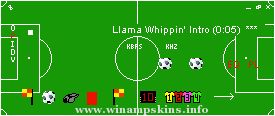
For Fenerbahce Turkey's best football team.
Version history:
V 1.03 Change on the buttons 04/27/2001
V 1.02 Lots of changes
(borders, buttons, volume bar, text...) 04/17/2001
V 1.01 A change on the main skin. 10/01/2000
...
C64 WinAMP Skin
Author: DeathKore AntiKrizt
e-Mail: info-is@in-file
Website: http://www.sweet.hell.as
I started 28th March 2001 and completed the skin 1st April 2001
Last Updated : 7th April 2001 ...
Just to prove I can still make game skins better than anyone else :p
Even if this isn't my best work, it's good practice.
-LuigiHann(at hotmail dot com)
For old-school side-scrolling action, arrange the windows horizontally, a la Main-EQ-Playlist-o ...
The Matrix WinAmp Skin Version 1.0
-------------------------------
****************************************
******* What is the Matrix *******
****************************************
Author : Spider
e-mail : info-is@in-file
*********** ...

.wsz.jpg)