; I stole this from the Complex skin, cause hey I thought it was cool :)
; (and cause I'm too lazy to document it myself. :)
; The original author is Adam Kennedy
;
; Hope you don't mind Adam :)
;
;
; -Justin
;
;
; P.S. you can use the section names [WindowShade] and [Equalizer]
; for obvious purposes =)
;
;
; REGION.TXT STRUCTURE FOR DEFINING SKIN MASKS
;
;The region information comes without any supporting documentation
;so I thought I might as well make some.
;
;The region.txt in WinAmp 1.92 allows us to some interesting things with transparencies
;But how does it work?
;
;Well, basically, it lets you define a set of polygons. Anything inside a polygon is drawn. Anything not in a polygon is not drawn. Simple heh?
;For how to define it have a look below at the first block. Un-comment it now. Don't worry about commenting the actual one lower down, if WinAmp finds multiple definitions, it only does the first and ignores the rest
;
;How to make a mask
;1. Type [Normal]. Real simple that one. (My guess is it is just for forward compatibility)
;2. Just type the NumPoints= and leave the number blank, we'll fill it in later
;3. OK, now for the fun part.
; The co-ordinates you should type in are the OUTSIDE pixel co-ordinates in x,y format.
; Start at the top lefthand corner and work your way CLOCKWISE around you polygon.
; Now WinAmp ONLY accepts the PointList as one line of comma seperated variables.
; You can use spaces, but DONT GO ONTO A NEW LINE. Clear? Good. :)
; One last thing, don't type the first position again at the end, WinAmp joins them.
; Putting a space between each pair is simply common sense, right?
;4. Once your done, count the number of co-ords, and fill in that number for NumPoints.
;
;Oh, as a side note, the x variables go from 0 to 275, and the y from 0 to 116.
;So if you look at the first example you can see I've gone across the second top line, gone down a bit, ducked in one pixel, gone down to the bottom, and across and back up the other side, putting another ledge on the other side.
;This does the outside border, and chops some bits out on the top and edges
;[Normal]
;NumPoints=8 ;Do this LAST!
;PointList=0,1, 271,0, 275,3, 276,109, 272,114, 268,118, 7,116, 2,114 1,109 0,10 5,4
;Cool heh? Very subtle effect. Now lets try a more complex one, with multiple polygons
;For your first hard(ish) mask, I suggest defining each element as a seperate mask.
;It makes them a bit easier to think about.
;First, lets define an area that JUST does the titlebar.
[Normal]
NumPoints=9
PointList=11,0, 275,1, 275,14, 0,14
;Simple as can be :)
;Go ahead, uncomment it and have a look. Just remember to recomment everything above it
;Doing your areas one at a time does speed the process up a bit
;Now lets define JUST the area sort of inside the outer ring
;[Normal]
;NumPoints = 4
;PointList = 3,15, 272,15, 272,113, 3,113
;Right, so say we want a mask that has, the titlebar AND the main area.
;We just add them together
; [Normal]
; NumPoints = 4, 4 ;Make sure to get the order right(although it doesnt matter here =P )
; PointList = 0,1, 275,1, 275,14, 0,14, 3,15, 272,15, 272,113, 3,113
;Dont forget to add that extra comma after the first set.
; Having that bigger gap that lets you "keep it in your head" easier, it's a good idea
;OK, now lets try something tricky. We are going to make a mask for just one green line around the outside of the skin
;This introduces the other "big thing" with masks. Have a look at the first three co-ordinates below. You can see the first two moves we make are to go one to the side and then go down to the bottom. Looking at the last co-ordinate you can see we will come back up at the end, making a line two wide, right?
;WRONG!! Here comes the big important phrase.
;IF YOU ARNT FOLLOWING THE OUTSIDE EDGE, YOUR CO-ORDINATES MARK TRANSPARENT SPACE LIMITS
;That's right. Because I don't make a square, because I have to turn "inside" the box, I am only marking space, and what I end up with is a mask with one green line.
;WARNING: Leave your skins dialog open when you do this one. :)
;[Normal]
;NumPoints = 8
;PointList = 1,14, 2,14, 2,114, 273,114, 273,14, 274,14, 274,115, 1,115
;OK, as the final touch lets add lets the border we just made to the other two.
;You should be able to work this out on your own
;[Normal]
;NumPoints = 4, 4, 8
;PointList = 0,1, 275,1, 275,14, 0,14, 3,15, 272,15, 272,113, 3,113, 1,14, 2,14, 2,114, 273,114, 273,14, 274,14, 274,115, 1,115
;hmm... that still looks a bit tacky down the bottom right
;So I'm going to modify it a bit
;See if you can work out what I've had to alter just by looking at the display of it
;[Normal]
;NumPoints = 4, 4, 8
;PointList = 0,1, 275,1, 275,14, 0,14, 3,15, 272,15, 272,80, 3,80, 1,14, 2,14, 2,81, 273,81, 273,14, 274,14, 274,115, 1,115
; Justin's whacked trans skin :) in one, big lame messy line
; [Normal]
; NumPoints=20,4,4,4,8,4,4,6,6,4,4,4,4
; PointList=0,0,19,0,19,11,114,11,114,0,156,0,156,11,243,11,243,0,275,0,275,13,266,13,266,22,264,22,264,13,111,13,111,22,109,22,109,13,0,13, 109,22,266,22,266,36,109,36, 16,88,130,88,130,105,16,105, 136,89,157,89,157,104,136,104, 22,13,22,62,102,62,102,13,100,13,100,24,24,24,24,13, 0,0,275,0,275,3,0,3, 16,72,264,72,264,81,16,81, 0,13,0,78,16,78,16,75,4,75,4,13, 275,13,275,78,264,78,264,75,272,75,272,13, 14,78,16,78,16,105,14,105, 130,81,132,81,132,105,130,105, 146,81,146,89,148,89,148,81, 130,96,136,96,136,98,130,98
;THE END
;
;Post-Script
;The other good thing about doing your mask in bits and pieces like this is that can make multiple versions so you can change as your whims change
==========
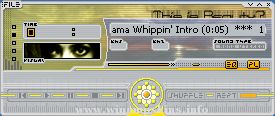
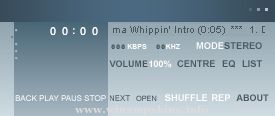
difernet AMP - Official difernet ART Winamp Skin
==========
For Winamp 2x
Skin by Kali Romiglia
Time: From May 21 to May 23, 01 (3 Days)
Distributed at:
www.difernet.com
www.romiglia.com
www.winamp.com
==========
Contact Details
==========
kali:info-is@in-file www.romiglia.com
difernet: www.difernet.com
Happy Halloween.
If you're roughly my age, this should bring back nice memories. If not, you probably have no idea what it is.
But at least it's orange.
-LuigiHann
Check out http://www.x-entertainment.com/articles/0822/ for more info.
minibrowser ...
Nancy Drew - The Llama's Secret (with bars)
copyright 2001 by C. Pitts
Hello:
If you are reading this then you took apart my skin. SHAME ON YOU! : )
Anyways, a lot of work went into this, so don't mess with it or rip it off or anything. Bey ...
3/14/99
Aww, poor Suu, tied up and in a cage! She looks so lovely and tragic!
But then so is the Clover manga by CLAMP. Lovely and tragic ;_;. It's
so great though :)
Emily
info-is@in-file
http://yaoi.anime-manga.net/winamp ...
3/25/99
This skin is part of a somewhat matching set with a Clover skin of Suu :) This is
Lan. Isn't he cute? :) CLAMP and their cute guys! Yeesh, so many to choose from! ^_^
Emily
info-is@in-file
http://yaoi.anime-manga.net/winamp ...
7Lines v1.0 November 14th, 2001
-----------------------------------------------------------------------------------
Creator: Lasse Adolphsen
URL: http://www.adolphsen.hjem.wanadoo.dk
E-mail: info-is@in-file
About the ...