Sleek skin for Winamp - v1.0
By Jeremy Morton
================
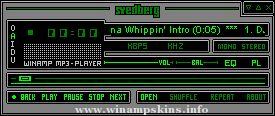
Sleek skin is a skin for Winamp 2.91 or lower (Winamp classic), a music player which can be found at www.winamp.com. To install it, simply open the .wsz file the skin came in.
I've tried to make this skin look clean and polished, as well as being clear and easy to use. Overall, a pleasant skin to have on Winamp, certainly superior to the original base skin, I think. This skin was actually pretty difficult to make well, owing to the diagonal fade, which is difficult to implement in Winamp; especially on the sizeable windows.
SKINNING NOTES
==============
Cursor explanations:
CLOSE.CUR: (Main Menu X)
EQCLOSE.CUR: (EQ Close)
EQNORMAL.CUR: (EQ Normal)
EQSLID.CUR: (EQ Up and Down Slides)
EQTITLE.CUR: (EQ Titlebar)
MAINMENU.CUR: (Main Menu Button-topleft)
MIN.CUR: (Main Menu Minimize)
MMENU.CUR: (Minimized Main Menu Button)
NORMAL.CUR: (Main Menu Normal)
PCLOSE.CUR: (Playlist Close)
PNORMAL.CUR: (Playlist Normal)
POSBAR.CUR: (Main Menu Song Position)
PSIZE.CUR: (Playlist Expansion Mode)
PTBAR.CUR: (Playlist Top Bar Cursor)
PVSCROLL.CUR: (Playlist Vertical Button)
PWINBUT.CUR: (Playlist Windowshade Mode)
PWSNORM.CUR: (Playlist Windowshade Normal)
PWSSIZE.CUR: (Playlist Windowshade Size Expansion)
SONGNAME.CUR: (Song Name Scroll)
TITLEBAR.CUR: (Main Menu Name Bar)
VOLBAL.CUR: (Main Menu Volume Balance)
VOLBAR.CUR: (Main Menu Volume Switch)
WINBUT.CUR: (Main Menu Windowshade Mode)
WSCLOSE.CUR: (Windowshade Close)
WSMIN.CUR: (WindowShade Main Minimize)
WSNORMAL.CUR: (Windowshade Normal)
WSPOSBAR.CUR: (Windowshade Song Position)
WSWINBUT.CUR: (Windowshade Exit Windowshade Mode)
The windowshade is the bar you get when you click the 'restore' button on the Winamp titlebar.
Use AFH Beveler (no version number) to create bevels.
The pixels in Genex.bmp, from left to right, specify the color for the following items in Winamp's API-generated windows:
1. Pane background
2. Pane text
3. Window background
4. Button text
5. Window text
6. Seperator
7. Playlist selection
8. List title bevel background
9. List title bevel text
10. List title bevel hilight
11. List title bevel lolight
12. List title padding
13. List title background
14. Scrollbar chequer background A
15. Scrollbar chequer background B
16. Scrollbar chequer hilight A
17. Scrollbar chequer hilight B
18. Scrollbar corner color
**************************
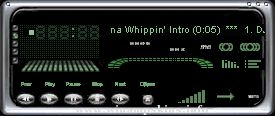
NVGreen.wsz
by L.Larsson 08/26/04
**************************
NVGreen Skin by 337,
New for Winamp 5!
works best with WinAmp 2.9 & up.
All windows are skinned.
All New Graphics..& New Cursor set!
LL
Installation: v2.5 ...
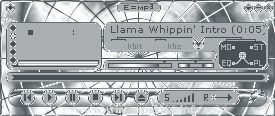
Skin: E=mp3 V2 [09/07/2001]
Author: eddieo (wg)
E-mail: info-is@in-file
____________________________
Thanks for downloading this skin.
This is a second version with all the colours changed from a light blue, black and white to a grey and si ...
"The Tony Hawk Amp"
fanart/skin, 06/2003
by e-blackadder (info-is@in-file or info-is@in-file)
==========================================
Dedication:
The TH amp is dedicated to two guys. Firstly to my son, who is the biggest Tony Hawk ...
_________________________
Flying Buttons
_________________________
Created by Jaroslav Voves
v 1.0 - release Juni 2002
I hope it's true 3D
(on black desktop)?
Send your comments to
info-is@in-file
Ceska Lipa, Czech Republic, Europe
...
----------------------------------------------------------------------------------
Requiem For A Dreamer
05-21-2003
----------------------------------------------------------------------------------
This skin is made by J ...