--------------------------------------------------------------
24 November 1999
--------------------------------------------------------------
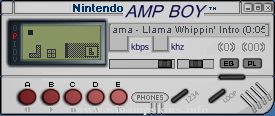
Reebok AMP V1.1
==============================================================
Author Notes: This is my third winamp skin.I did in in MS paint
Paint Shop Pro and Skinner .If you have Any Comments
or suggestions on my skin feel free to E-mail me.
==============================================================
E-MAIL ME
>If you can help me more on how to create skins please E-Mail me
>If you like the skin
>If You have any good skins for me
>if you have any new skinner templates
>if you think Reebok RULE
***************************************************************
COPYRIGHT
The skin holds copyright on the logos an pictures that have been
use.
www.Reebok.com
/////////////////////////////////////////////////////////////////
feel free to edit or distribute this skin on homepages and other
places aslong you leave the readme.txt as it is .and put it on
your skin and make a link on your homepage of mine Homepage
Eugene Tomes
Alberton South Africa
E-Mail: info-is@in-file
Home Page - www.Geocities.com/Eugenezerocool
_____
/~~~~~
||
||
__//
||
||
_____// dom
~~~~~~
Threedom WinAMP Skin
1. INSTALL Just move this ZIP file into
the SKIN subdirectory of WINAMP's ins ...
A New Next Generation Soft skin release..
-Technical Waste
-A skin for Winamp v2.64+
-6/17/00
-Comments from author:
This skin was last seen & zipped up in
the MAXIMUM SOLITUDE skin as a preview of my upcoming work.
It was originally cal ...
This skin is based on an image of Cait Sith, by Nomura Tetsuya.
As a help, I have used the Skinner Atlas, Winamp region.txt generator and Vis Toolkit.
//TheSlof ...
Dido skin
Author: SeeQ. This version modded by Paul. See details below
Used Tools: IrfanView 3.33, Paint, Microangelo studio, SeeQart moulds.
This Winamp Skin was made by SeeQ. If you're gonna post this skin anywhere, please list my
name and e-mail. ...
Blakamp Skin
This skin was created with Corel Draw 9.0 by Heright F. Kohler, during 5 hours the day 15 of January of 2003.
I dedicate this and all my skins to my sweetheart Carolina, who is all the inspiration of my life.
-------------
This Skin ...