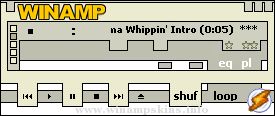
+--------------------------------------------+
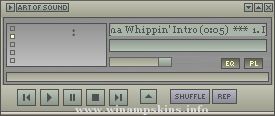
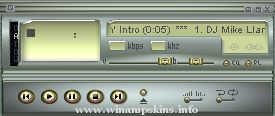
| Advance Audio skin v1.3 for WinAmp v2.0 |
| Bob Zormeir 12/8/98 info-is@in-file |
+--------------------------------------------+
This is a skin for WinAmp v2.0+ of WinAmp. Everything but
new the playlist and equalizer skins should be compatible
with earlier versions. I welcome questions, comments and
suggestions.
- Bob
Installation: v2.0
------------
1. Copy or move Advance.zip to the WinAmp Skins directory.
2. Unzip the file to generate the 'Advanced' directory and
necessary files for the 'Advanced Audio Player' skin.
3. Launch WinAmp, and type Alt-S for the Skin Browser.
4. Double-click on 'Advanced.'
Installation: v2.4
------------
1. Copy or move Advance.zip to the WinAmp Skins directory.
2. Launch WinAmp, and type Alt-S for the Skin Browser.
3. Double-click on 'Advanced.'
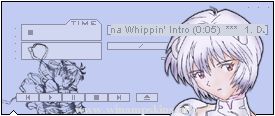
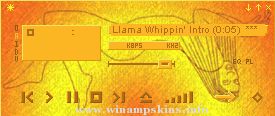
.Angels Eyes - Winamp 2.0+ skin set
===================================
.VERSION 1.3
.RELEASE: Nov 10, 2001
.SKIN MOTIVE
The skin motive is on Rei Ayanami, from the anima/manga series Neon Genesis Evengelion.
Rei is the first child and pilot o ...
>> DENON '' Antique '' Component for Winamp
===========================================
WEB : http://www.bc.wakwak.com/~akane/
Thank so much your downloading.
Version 1.0 ------------------- 2002/2/25
This is my fifth work.
Thi ...
J-M-E Systems V1.1 True beginnings
Skin for Winamp 2.x
(c)2003 Jonnyo (AKA: Jon Jopling)
Date 26 sep 2003
-----------------------------------------------------------------
In the update. form 1.0 to 1.1
----------------------------------------- ...
minibrowser
The skin cannot be displayed
The skin you are looking for is currently unavailable. Winamp might be experiencing technical difficulties, or you may need to adjust your skin settings.
--------------------------------- ...
"SummerBreeze"
By Stephan Hoekstra AKA Ampburner
(info-is@in-file | www.ampburner.com)
---------------------------------------------------
Comments:
This is my skin "SummerBreeze" and it is my entry
to the Nullsoft 2001 summer skin contest. Elements ...
"bloo plastik"
Began: October 6, 2002
Completed: October 6, 2002
I started designing this skin a couple of weeks ago. I decided to start it today (began date), and I finished it today as well.. It was an easy skin to make.. I am very proud of w ...
Fruitotype - first and last version 1.0
No, I'm not colorblind. This was created quite by accident and I just had to finish it. I'm just throwing it out there to see what kind of response I'll get. If you'd like to rip this skin, feel free to do so. ...