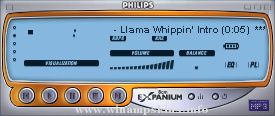
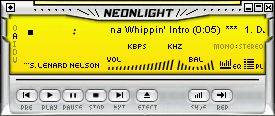
; I stole this from the Complex skin, cause hey I thought it was cool :)
; (and cause I'm too lazy to document it myself. :)
; The original author is Adam Kennedy
;
; Hope you don't mind Adam :)
;
;
; -Justin
;
;
; P.S. you can use the section names [WindowShade] and [Equalizer]
; for obvious purposes =)
;
;
; REGION.TXT STRUCTURE FOR DEFINING SKIN MASKS
;
;The region information comes without any supporting documentation
;so I thought I might as well make some.
;
;The region.txt in WinAmp 1.92 allows us to some interesting things with transparencies
;But how does it work?
;
;Well, basically, it lets you define a set of polygons. Anything inside a polygon is drawn. Anything not in a polygon is not drawn. Simple heh?
;For how to define it have a look below at the first block. Un-comment it now. Don't worry about commenting the actual one lower down, if WinAmp finds multiple definitions, it only does the first and ignores the rest
;
;How to make a mask
;1. Type [Normal]. Real simple that one. (My guess is it is just for forward compatibility)
;2. Just type the NumPoints= and leave the number blank, we'll fill it in later
;3. OK, now for the fun part.
; The co-ordinates you should type in are the OUTSIDE pixel co-ordinates in x,y format.
; Start at the top lefthand corner and work your way CLOCKWISE around you polygon.
; Now WinAmp ONLY accepts the PointList as one line of comma seperated variables.
; You can use spaces, but DONT GO ONTO A NEW LINE. Clear? Good. :)
; One last thing, don't type the first position again at the end, WinAmp joins them.
; Putting a space between each pair is simply common sense, right?
;4. Once your done, count the number of co-ords, and fill in that number for NumPoints.
;
;Oh, as a side note, the x variables go from 0 to 275, and the y from 0 to 116.
;So if you look at the first example you can see I've gone across the second top line, gone down a bit, ducked in one pixel, gone down to the bottom, and across and back up the other side, putting another ledge on the other side.
;This does the outside border, and chops some bits out on the top and edges
;[Normal]
;NumPoints=8 ;Do this LAST!
;PointList=0,1, 275,1, 275,14, 274,14, 274,115, 1,115, 1,14, 0,14
;Cool heh? Very subtle effect. Now lets try a more complex one, with multiple polygons
;For your first hard(ish) mask, I suggest defining each element as a seperate mask.
;It makes them a bit easier to think about.
;First, lets define an area that JUST does the titlebar.
;[Normal]
;NumPoints=4
;PointList=0,1, 275,1, 275,14, 0,14
;Simple as can be :)
;Go ahead, uncomment it and have a look. Just remember to recomment everything above it
;Doing your areas one at a time does speed the process up a bit
;Now lets define JUST the area sort of inside the outer ring
;[Normal]
;NumPoints = 4
;PointList = 3,15, 272,15, 272,113, 3,113
;Right, so say we want a mask that has, the titlebar AND the main area.
;We just add them together
; [Normal]
; NumPoints = 4, 4 ;Make sure to get the order right(although it doesnt matter here =P )
; PointList = 0,1, 275,1, 275,14, 0,14, 3,15, 272,15, 272,113, 3,113
;Dont forget to add that extra comma after the first set.
; Having that bigger gap that lets you "keep it in your head" easier, it's a good idea
;OK, now lets try something tricky. We are going to make a mask for just one green line around the outside of the skin
;This introduces the other "big thing" with masks. Have a look at the first three co-ordinates below. You can see the first two moves we make are to go one to the side and then go down to the bottom. Looking at the last co-ordinate you can see we will come back up at the end, making a line two wide, right?
;WRONG!! Here comes the big important phrase.
;IF YOU ARNT FOLLOWING THE OUTSIDE EDGE, YOUR CO-ORDINATES MARK TRANSPARENT SPACE LIMITS
;That's right. Because I don't make a square, because I have to turn "inside" the box, I am only marking space, and what I end up with is a mask with one green line.
;WARNING: Leave your skins dialog open when you do this one. :)
;[Normal]
;NumPoints = 8
;PointList = 1,14, 2,14, 2,114, 273,114, 273,14, 274,14, 274,115, 1,115
;OK, as the final touch lets add lets the border we just made to the other two.
;You should be able to work this out on your own
;[Normal]
;NumPoints = 4, 4, 8
;PointList = 0,1, 275,1, 275,14, 0,14, 3,15, 272,15, 272,113, 3,113, 1,14, 2,14, 2,114, 273,114, 273,14, 274,14, 274,115, 1,115
;hmm... that still looks a bit tacky down the bottom right
;So I'm going to modify it a bit
;See if you can work out what I've had to alter just by looking at the display of it
;[Normal]
;NumPoints = 4, 4, 8
;PointList = 0,1, 275,1, 275,14, 0,14, 3,15, 272,15, 272,80, 3,80, 1,14, 2,14, 2,81, 273,81, 273,14, 274,14, 274,115, 1,115
; Justin's whacked trans skin :) in one, big lame messy line
; [Normal]
; NumPoints=20,4,4,4,8,4,4,6,6,4,4,4,4
; PointList=0,0,19,0,19,11,114,11,114,0,156,0,156,11,243,11,243,0,275,0,275,13,266,13,266,22,264,22,264,13,111,13,111,22,109,22,109,13,0,13, 109,22,266,22,266,36,109,36, 16,88,130,88,130,105,16,105, 136,89,157,89,157,104,136,104, 22,13,22,62,102,62,102,13,100,13,100,24,24,24,24,13, 0,0,275,0,275,3,0,3, 16,72,264,72,264,81,16,81, 0,13,0,78,16,78,16,75,4,75,4,13, 275,13,275,78,264,78,264,75,272,75,272,13, 14,78,16,78,16,105,14,105, 130,81,132,81,132,105,130,105, 146,81,146,89,148,89,148,81, 130,96,136,96,136,98,130,98
;THE END
;
;Post-Script
;The other good thing about doing your mask in bits and pieces like this is that can make multiple versions so you can change as your whims change
Hot Wheels Amp!
Created and Designed by Mrs Bladez - 5/18/2001
Just a little something I made for my hubby. He's a boy at heart and these were one of his favorite things to collect and play with as a child. This skin was made entirely with PSP7 (ex ...
ReadMe!.txt Altitude X-Plorer v1.0 for WinAmp 2.x
-------------------------------------------------
Hello there, and thank you for downloading my skin.
Ok, to start off with; I have said to the guys at lotsofskins.com
that the next skin that I wo ...
~~~~~~~~ MP3 MOBILE 1.0 ~~~~~~~~~~~
My tenth skin, and my first for 2002!
This skin was inspired by all those portable
MP3 palyers...
Didn't use too many colors, so that it looked
more realistic.This skin also uses tranparentcy
effects...
~~~ ...
Welcome to my second skin and thanks to download it!
I strike back with a new skin for WinAmp based on Iori Yoshizuki from
the manga I"S by Masakazu Katsura.
I made this skin using Skinner and Photoshop during some days...
In my opinion, Katsura ...
Skin name: Chilled2
Release Version: 1.0
Description: This is actually my first skin. Colours are very bright... I hope it doesn´t make your eyes hurt!
Category: Cool skins
Skin by: Jouko Valtola
E-Mail: info-is@in-file ...
Icon
made by Moocker
info-is@in-file
I had a stupid idea, so i opened ms.paint and... I made a skin.
If you like this skin (or you don't like it) mail me at info-is@in-file. Please!
Moocker
info-is@in-file
http://republika.pl/mooc ...